Hướng dẫn cấu hình cơ bản trên Firewall Fortigate (Phần I).
Cấu hình cơ bản trên Firewall Fortigate
Bước: 1. Kết nối vào giao diện WebPage của Firewall Fortigate.
Bước: 1.1. Kết nối vào giao diện WebPage của Fortigate Version 5.2.3.

Máy tính PC1 kết nối tới Port1-14 của Firewall Firewall Fortigate sẽ được cấp phát IP động từ 192.168.1.110-192.168.1.254.
Từ PC1 tiến hành kết nối tới Firewall Fortigate bằng tài khoản admin & password rỗng.


Bước: 1.2. Kết nối vào giao diện WebPage của Fortigate Version 6.0.4.


Bước: 2. Khởi tạo mới các Interface trên Firewall Fortigate.
Bước: 2.1. Kiểm tra và hiệu chỉnh các tham số trên Interface.
Mặc định thì tất cả các Port trên Firewall Fortigate đều hoạt động ở chế độ Switch Mode (vs Interface Mode).
- In Switch mode, all of the internal interfaces are part of the same subnet and treated as a single interface, which is called either lan or internal by default, depending on the FortiGate model.
|
config system global set internal-switch-mode switch end |

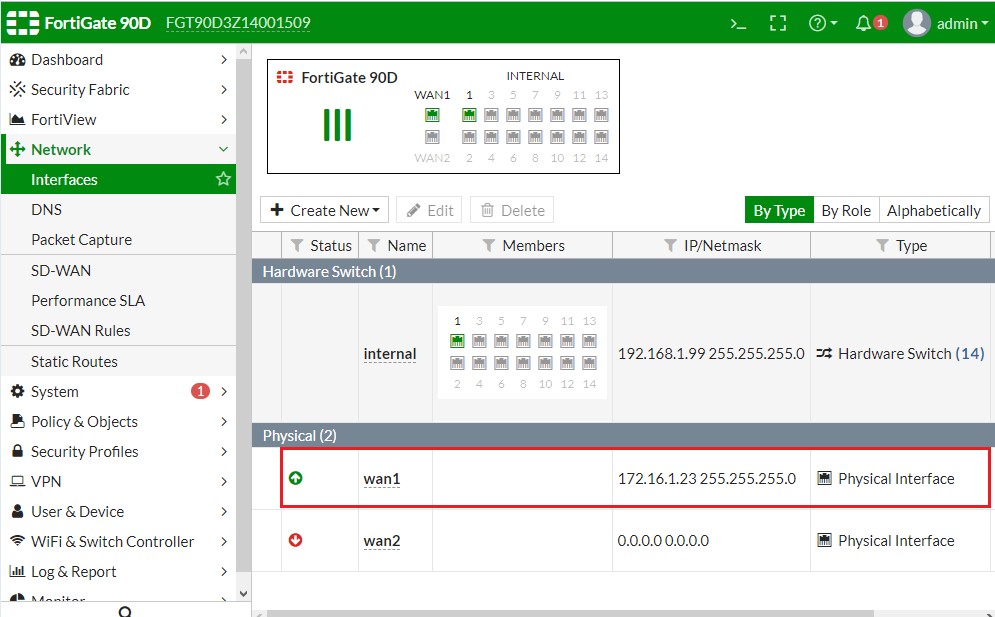
Thiết lập và kiểm tra IP trên Interface WAN.

FortiToken Mobile

Các loại Interface Type.
EMAC VLAN (Enhanced MAC VLANs):
The media access control (MAC) virtual local area network (VLAN) feature in Linux allows you to configure multiple virtual interfaces with different MAC addresses (and therefore different IP addresses) on a physical interface.

Cấu hình các tham số trên cổng giao tiếp WAN.
Administrative Access:
- unset allowaccess: Vô hiệu hóa tất cả các Remote Service (Administrative Access) trên Firewall Fortigate.
- FMG-Access: FortiManager Access, FMG-Access on the wan interface would be used for something like forticloud or fortimanager if you want to manage the firewall from another device via your public ip address.
- FortiTelemetry: is a protocol, similar to the FGCP heartbeat, used for communication between different Fortinet products. It is used to connect devices in the Security Fabric, to support On-Net functionality, and monitor and enforce FortiClient use for devices on a network protected by FortiOS.set allowaccess https ssh capwap fgfm ping: When adding to, or removing a protocol, you must type the entire list again.
- FTM: FortiToken Mobile, One-Time Password Application with Push Notification. FortiToken Mobile is an OATH compliant One-Time Password (OTP) generator application for the mobile device supporting both time (TOTP) and event (HOTP) based tokens.
- CAPWAP: The Control And Provisioning of Wireless Access Points (CAPWAP) protocol is a standard, interoperable networking protocol that enables a central wireless LAN Access Controller (AC) to manage a collection of Wireless Termination Points (WTPs), more commonly known as wireless access points.
|
config system interface edit wan1 set ip 172.20.120.100/24 unset allowaccess set allowaccess https ssh capwap fgfm ping end |


Bước: 2.2. Khởi tạo Software Switch Interface trên Firewall Fortigate.

A software switch, or soft switch, is a virtual switch that is implemented at the software, or firmware level, rather than the hardware level. A software switch can be used to simplify communication between devices connected to different FortiGate interfaces.
For this example, the wireless interface (WiFi) needs to be on the same subnet as the DMZ1 interface to facilitate wireless syncing from an iPhone and a local computer. The synching between two subnets is problematic. By putting both interfaces on the same subnet the synching will work. The software switch will accomplish this.
In Switch mode, all of the internal interfaces are part of the same subnet and treated as a single interface, which is called either lan or internal by default, depending on the FortiGate model. Switch mode is commonly used in settings where the network layout is fairly basic, with most users being on the same subnet.
Các bước khởi tạo một Interface Soft Switch trên Firewall Fortigate:
- Bước A. Khởi tạo Interface Soft Switch với tên gọi là int.soft.1.
- Bước B. Thiết lập Policy cho phép int.soft.1 truy cập Internet.
Bước A. Khởi tạo Interface Soft Switch với tên gọi là int.soft.1.
|
FGT90D3Z14001509 # show system interface internal config system interface edit "internal" set vdom "root" set ip 192.168.1.99 255.255.255.0 set allowaccess ping https ssh http fgfm capwap set type hard-switch set stp enable set role lan set snmp-index 5 next end |
|
FGT90D3Z14001509 # config system virtual-switch edit internal config port delete internal1 internal2 edit internal1 internal2 end end FGT90D3Z14001509 # show system virtual-switch config system virtual-switch edit internal set physical-switch "sw0" config port edit "internal3" next edit "internal4" next edit "internal5" next edit "internal6" next edit "internal7" next edit "internal8" next edit "internal9" next edit "internal10" next edit "internal11" next edit "internal12" next edit "internal13" next edit "internal14" next end next end FGT90D3Z14001509 # |
|
FGT90D3Z14001509 # config system switch-interface edit int.soft.1 set type switch set member internal1 internal2 end config system interface edit int.soft.1 set ip 172.31.1.1 255.255.255.0 set allowaccess https ssh ping end |
|
FGT90D3Z14001509 # show system switch-interface config system switch-interface edit "int.soft.1" set vdom "root" set member "internal1" "internal2" next end FGT90D3Z14001509 # |
|
FGT90D3Z14001509 # show system interface int.soft.1 config system interface edit "int.soft.1" set vdom "root" set ip 172.31.1.1 255.255.255.0 set allowaccess ping https ssh http set type switch set device-identification enable set role lan set snmp-index 8 next end FGT90D3Z14001509 # |
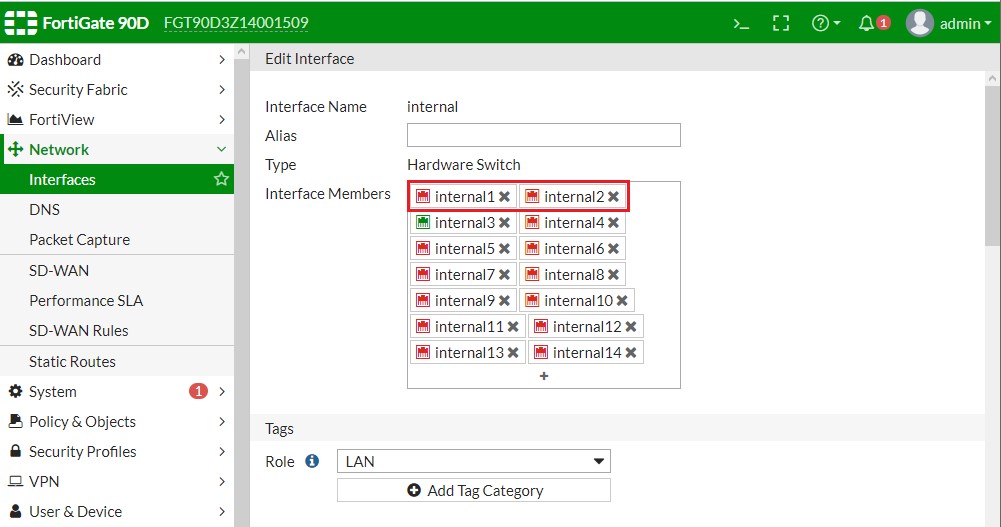
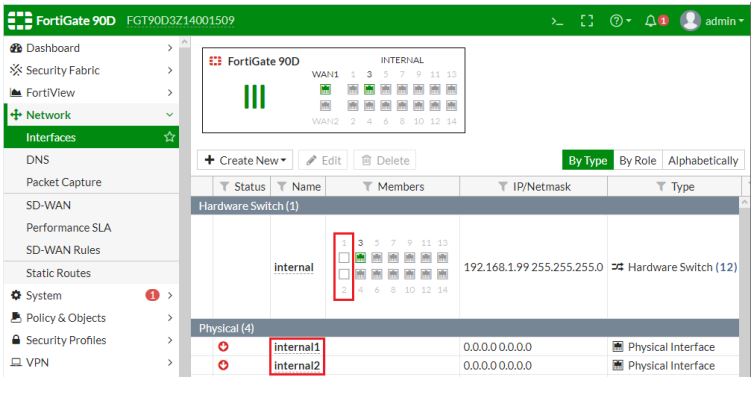


Lúc này thì 2 PC đã có thể giao tiếp được với nhau.
Bước B. Thiết lập Policy cho phép int.soft.1 truy cập Internet.


Các bạn có thể tham khảo thêm các bài viết liên quan sau :